> ## Documentation Index
> Fetch the complete documentation index at: https://mintlify.com/originalankur/maptoposter/llms.txt
> Use this file to discover all available pages before exploring further.

# MapToPoster Documentation

<div className="relative overflow-hidden bg-gradient-to-br from-[#2e1e3c] via-[#1f1333] to-[#0f0a1a] dark:from-[#2e1e3c] dark:via-[#1f1333] dark:to-[#0f0a1a] py-20 sm:py-24 lg:py-28">
  <div className="absolute inset-0 bg-[url('data:image/svg+xml;base64,PHN2ZyB3aWR0aD0iNjAiIGhlaWdodD0iNjAiIHhtbG5zPSJodHRwOi8vd3d3LnczLm9yZy8yMDAwL3N2ZyI+PGRlZnM+PHBhdHRlcm4gaWQ9ImdyaWQiIHdpZHRoPSI2MCIgaGVpZ2h0PSI2MCIgcGF0dGVyblVuaXRzPSJ1c2VyU3BhY2VPblVzZSI+PHBhdGggZD0iTSAxMCAwIEwgMCAwIDAgMTAiIGZpbGw9Im5vbmUiIHN0cm9rZT0icmdiYSgyMTEsMjUwLDk5LDAuMDUpIiBzdHJva2Utd2lkdGg9IjEiLz48L3BhdHRlcm4+PC9kZWZzPjxyZWN0IHdpZHRoPSIxMDAlIiBoZWlnaHQ9IjEwMCUiIGZpbGw9InVybCgjZ3JpZCkiLz48L3N2Zz4=')] opacity-40" />

  <div className="relative max-w-7xl mx-auto px-6 sm:px-8 lg:px-12">
    <div className="grid grid-cols-1 lg:grid-cols-12 gap-12 items-center">
      <div className="lg:col-span-7">
        <h1 className="text-5xl sm:text-6xl lg:text-7xl font-bold text-white mb-6 leading-tight">
          Transform Cities into Art
        </h1>

        <p className="text-lg sm:text-xl text-gray-300 max-w-2xl mb-10 leading-relaxed">
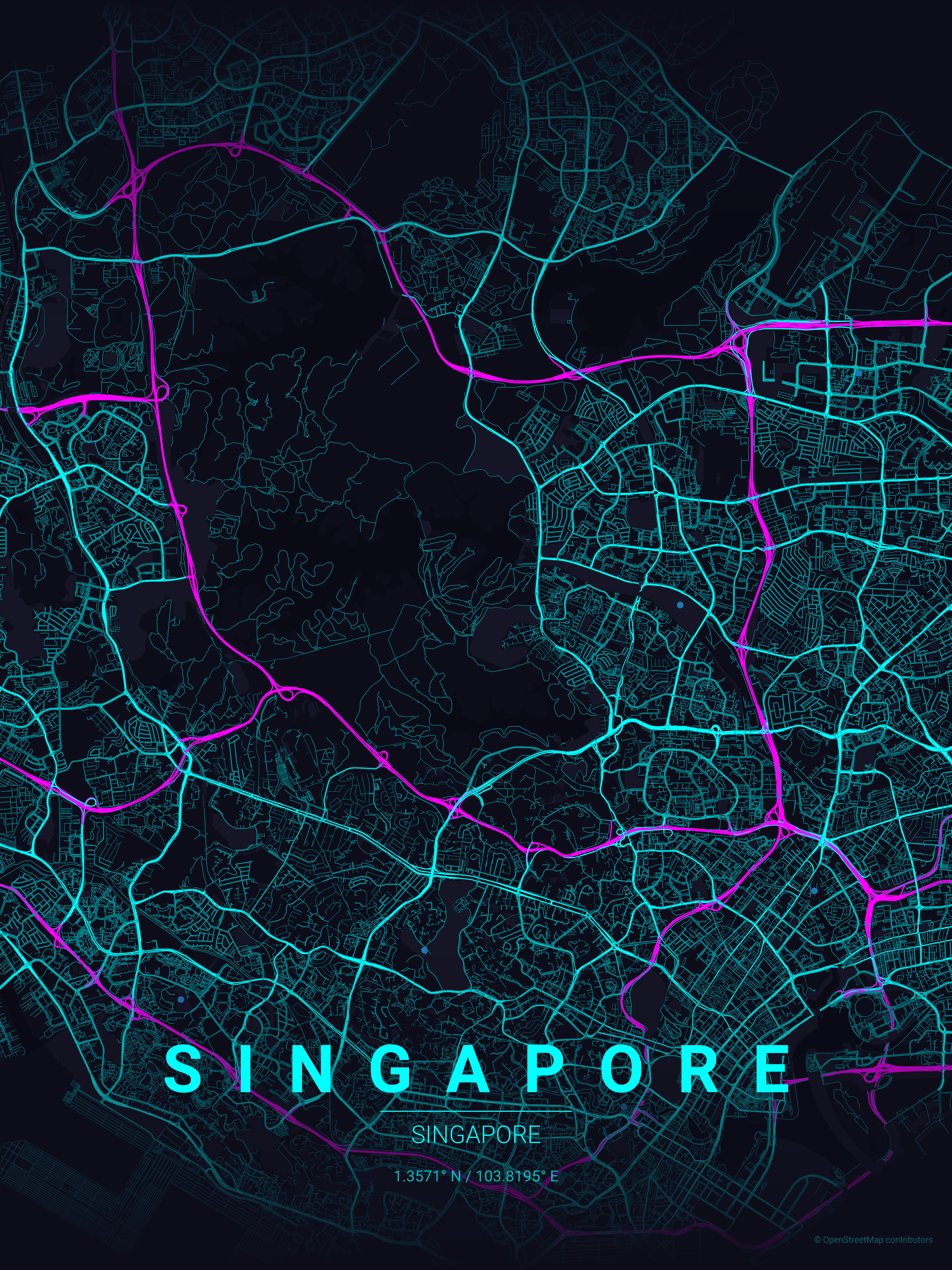
          Generate beautiful, minimalist map posters for any city in the world. MapToPoster turns OpenStreetMap data into stunning visual art with customizable themes, multilingual support, and export-ready formats.
        </p>

        <div className="flex flex-wrap gap-4">
          <a href="/quickstart" className="inline-flex items-center px-8 py-3.5 bg-[#d3fa63] hover:bg-[#c4eb54] text-[#1f1333] font-semibold rounded-lg transition-colors duration-200 no-underline">
            Get Started

            <svg className="ml-2 w-5 h-5" fill="none" stroke="currentColor" viewBox="0 0 24 24">
              <path strokeLinecap="round" strokeLinejoin="round" strokeWidth={2} d="M13 7l5 5m0 0l-5 5m5-5H6" />
            </svg>
          </a>

          <a href="/examples/gallery" className="inline-flex items-center px-8 py-3.5 bg-white/10 hover:bg-white/20 text-white border border-white/30 font-semibold rounded-lg transition-colors duration-200 backdrop-blur-sm no-underline">
            View Gallery
          </a>
        </div>
      </div>

      <div className="lg:col-span-5 relative">
        <div className="relative rounded-2xl overflow-hidden border border-[#d3fa63]/20 shadow-2xl shadow-[#d3fa63]/10">
          <img src="https://raw.githubusercontent.com/originalankur/maptoposter/main/posters/singapore_neon_cyberpunk_20260118_153328.png" alt="Singapore city map poster with neon cyberpunk theme" noZoom className="w-full h-auto" />
        </div>
      </div>
    </div>
  </div>
</div>

<div className="mt-16 mb-16 max-w-5xl mx-auto px-6">
  <h2 className="text-3xl font-bold text-gray-900 dark:text-white mb-4 text-center">Quick Start</h2>

  <p className="text-base text-gray-600 dark:text-gray-400 mb-10 text-center max-w-2xl mx-auto">
    Create your first map poster in three simple steps
  </p>

  <Steps>
    <Step title="Install the tool">
      Install MapToPoster using uv (recommended) or pip:

      <CodeGroup>
        ```bash uv theme={null}
        uv run ./create_map_poster.py --city "Paris" --country "France"
        ```

        ```bash pip theme={null}
        python -m venv .venv
        source .venv/bin/activate
        pip install -r requirements.txt
        ```
      </CodeGroup>

      <Note>Using uv automatically creates and manages a virtual environment on first run.</Note>
    </Step>

    <Step title="Generate your first poster">
      Run the command with your desired city and country:

      ```bash theme={null}
      python create_map_poster.py --city "Tokyo" --country "Japan" --theme japanese_ink
      ```

      The poster will be saved to the `posters/` directory with format: `{city}_{theme}_{timestamp}.png`
    </Step>

    <Step title="Customize and explore">
      Try different themes, adjust the map radius, or add multilingual labels:

      ```bash theme={null}
      python create_map_poster.py \
        -c "Barcelona" -C "Spain" \
        -t warm_beige \
        -d 8000 \
        -W 12 -H 16
      ```

      <Accordion title="See output example">
        Your poster will include:

        * Road network with hierarchical styling
        * Water features and parks
        * City and country labels
        * Geographic coordinates
        * High-quality 300 DPI output
      </Accordion>
    </Step>
  </Steps>
</div>

<div className="mt-16 mb-16 max-w-5xl mx-auto px-6">
  <h2 className="text-3xl font-bold text-gray-900 dark:text-white mb-4">Key Features</h2>

  <p className="text-base text-gray-600 dark:text-gray-400 mb-10">
    Everything you need to create professional map posters
  </p>

  <CardGroup cols={3}>
    <Card title="17 Built-in Themes" icon="palette" href="/guides/themes">
      From minimalist noir to vibrant neon cyberpunk, choose from carefully crafted color schemes
    </Card>

    <Card title="Multilingual Support" icon="globe" href="/guides/multilingual">
      Display city names in their native scripts with automatic Google Fonts integration
    </Card>

    <Card title="Customizable Output" icon="sliders" href="/usage/resolution-guide">
      Generate posters from Instagram posts to 4K wallpapers with precise dimension control
    </Card>

    <Card title="Road Hierarchy" icon="road" href="/reference/core-functions">
      Intelligent road styling based on OSM highway types with customizable colors and widths
    </Card>

    <Card title="Multiple Formats" icon="file-export" href="/usage/command-reference">
      Export as PNG, SVG, or PDF for print-ready or web-optimized outputs
    </Card>

    <Card title="Offline Caching" icon="download" href="/reference/architecture">
      Local caching of OpenStreetMap data for faster regeneration and offline work
    </Card>
  </CardGroup>
</div>

<div className="mt-16 mb-16 max-w-5xl mx-auto px-6">
  <h2 className="text-3xl font-bold text-gray-900 dark:text-white mb-4">Explore by Use Case</h2>

  <p className="text-base text-gray-600 dark:text-gray-400 mb-10">
    Find inspiration and examples for different city types
  </p>

  <div className="grid grid-cols-1 md:grid-cols-2 gap-6">
    <a href="/examples/grid-patterns" className="group block rounded-2xl border border-gray-200 dark:border-[#27272a] hover:border-[#d3fa63] dark:hover:border-[#d3fa63] overflow-hidden transition-colors duration-200 no-underline">
      <div className="h-56 overflow-hidden bg-gray-100 dark:bg-[#1a1d27] flex items-center justify-center">
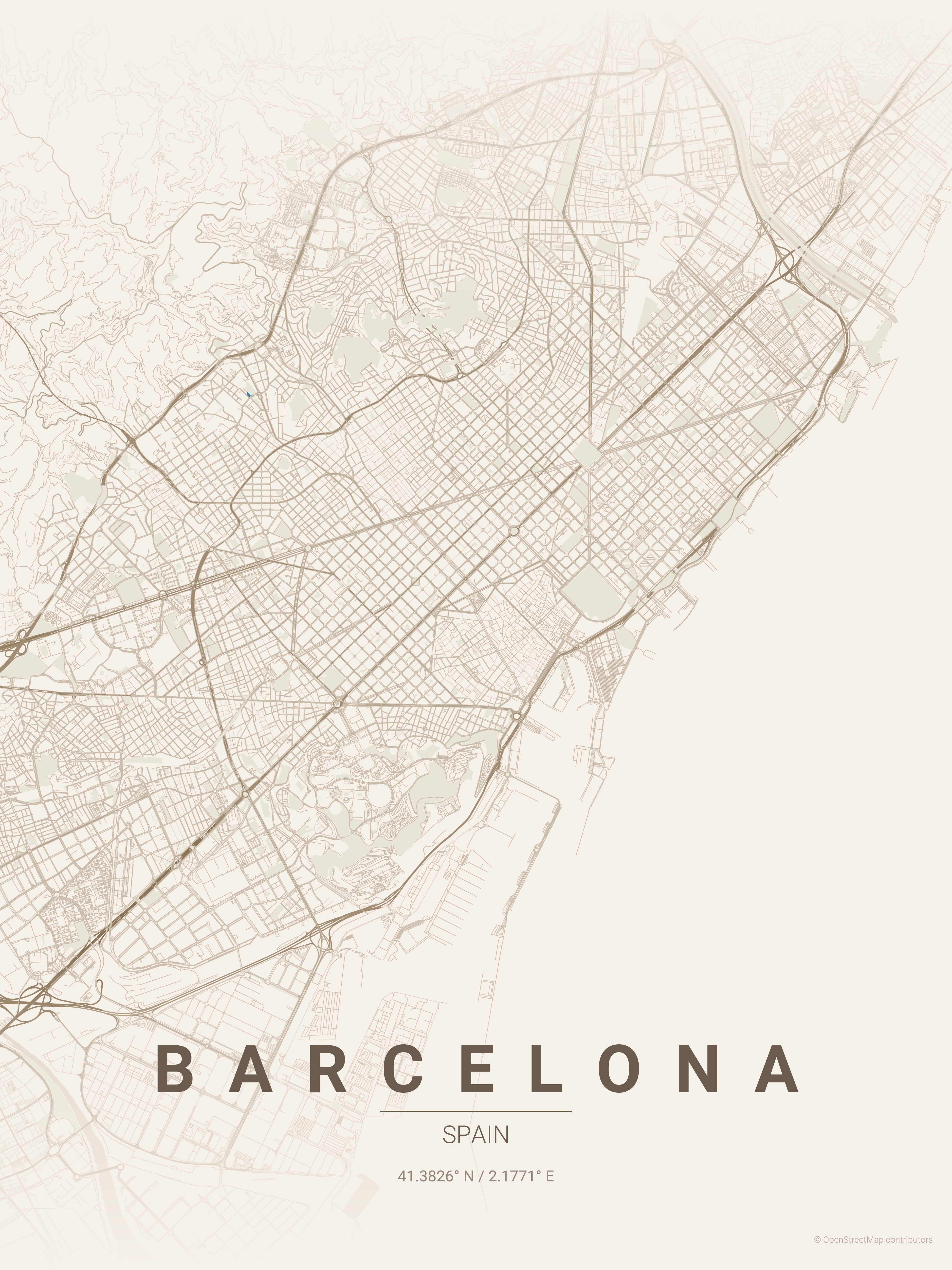
        <img src="https://raw.githubusercontent.com/originalankur/maptoposter/main/posters/barcelona_warm_beige_20260118_140048.png" alt="Barcelona grid pattern map poster" noZoom className="w-full h-full object-cover" />
      </div>

      <div className="p-6 bg-white dark:bg-[#1a1d27]">
        <h3 className="text-base font-semibold text-gray-900 dark:text-gray-100 mb-2">Grid Patterns</h3>

        <p className="text-sm text-gray-600 dark:text-gray-400 mb-3">
          Showcase cities with iconic street grids like Manhattan, Barcelona, and Chicago
        </p>

        <span className="text-sm font-medium text-[#8c9454] group-hover:text-[#d3fa63] transition-colors">
          View examples →
        </span>
      </div>
    </a>

    <a href="/examples/waterfront-cities" className="group block rounded-2xl border border-gray-200 dark:border-[#27272a] hover:border-[#d3fa63] dark:hover:border-[#d3fa63] overflow-hidden transition-colors duration-200 no-underline">
      <div className="h-56 overflow-hidden bg-gray-100 dark:bg-[#1a1d27] flex items-center justify-center">
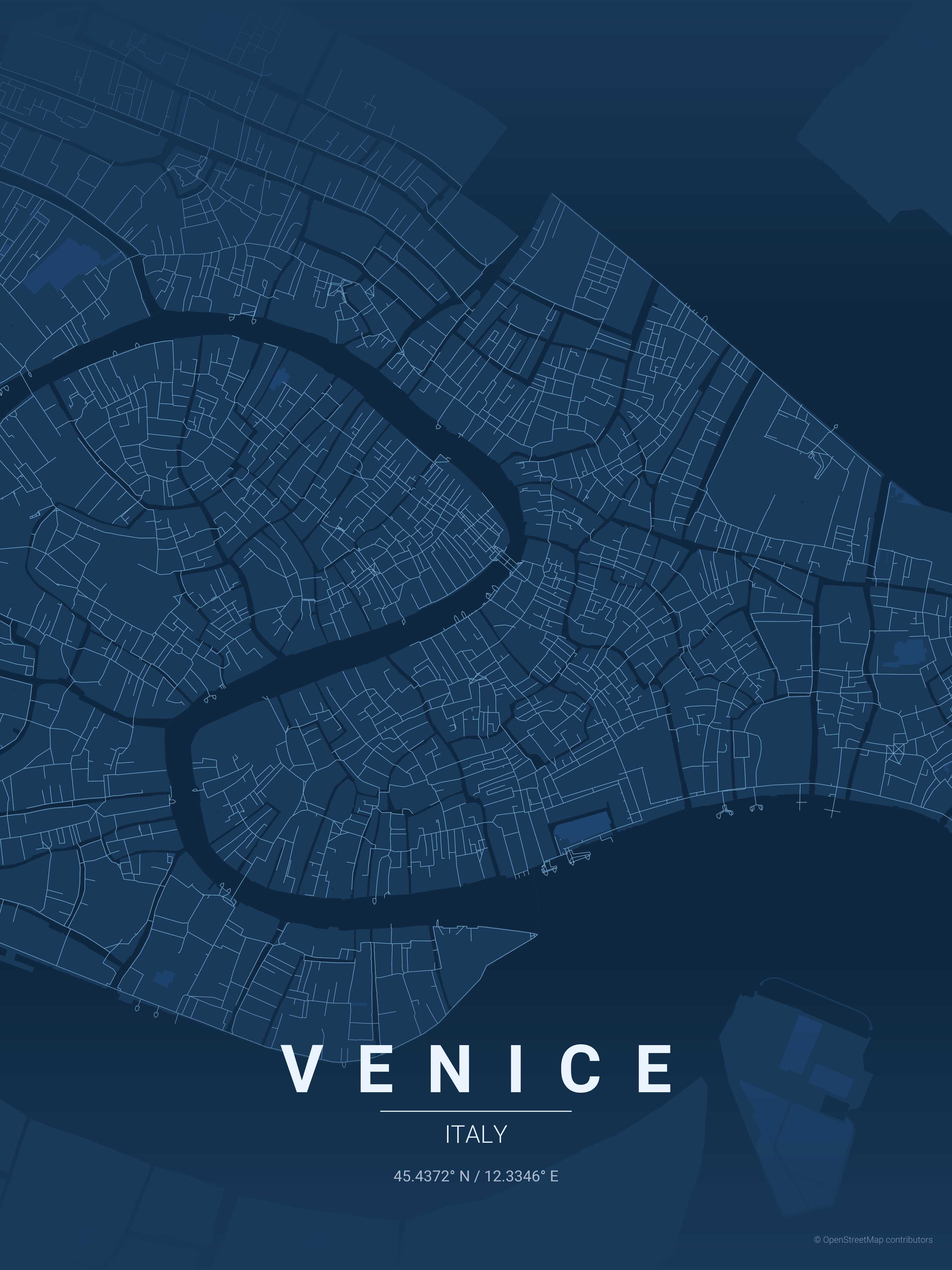
        <img src="https://raw.githubusercontent.com/originalankur/maptoposter/main/posters/venice_blueprint_20260118_140505.png" alt="Venice waterfront map poster" noZoom className="w-full h-full object-cover" />
      </div>

      <div className="p-6 bg-white dark:bg-[#1a1d27]">
        <h3 className="text-base font-semibold text-gray-900 dark:text-gray-100 mb-2">Waterfront & Canals</h3>

        <p className="text-sm text-gray-600 dark:text-gray-400 mb-3">
          Highlight coastal cities and canal networks like Venice, Amsterdam, and Dubai
        </p>

        <span className="text-sm font-medium text-[#8c9454] group-hover:text-[#d3fa63] transition-colors">
          View examples →
        </span>
      </div>
    </a>

    <a href="/examples/organic-cities" className="group block rounded-2xl border border-gray-200 dark:border-[#27272a] hover:border-[#d3fa63] dark:hover:border-[#d3fa63] overflow-hidden transition-colors duration-200 no-underline">
      <div className="h-56 overflow-hidden bg-gray-100 dark:bg-[#1a1d27] flex items-center justify-center">
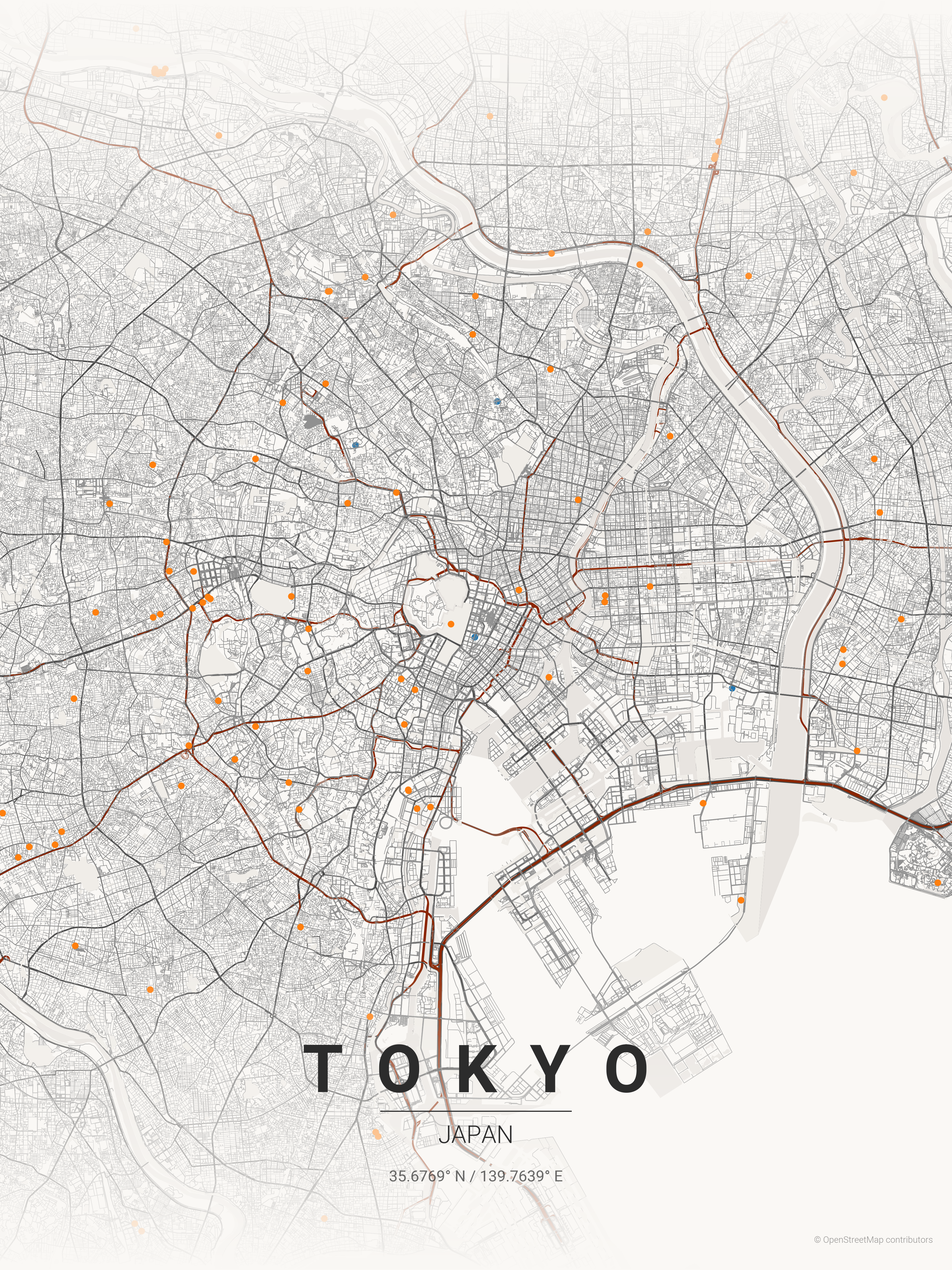
        <img src="https://raw.githubusercontent.com/originalankur/maptoposter/main/posters/tokyo_japanese_ink_20260118_142446.png" alt="Tokyo organic layout map poster" noZoom className="w-full h-full object-cover" />
      </div>

      <div className="p-6 bg-white dark:bg-[#1a1d27]">
        <h3 className="text-base font-semibold text-gray-900 dark:text-gray-100 mb-2">Organic Old Cities</h3>

        <p className="text-sm text-gray-600 dark:text-gray-400 mb-3">
          Capture the organic beauty of cities like Tokyo, Marrakech, and Rome
        </p>

        <span className="text-sm font-medium text-[#8c9454] group-hover:text-[#d3fa63] transition-colors">
          View examples →
        </span>
      </div>
    </a>

    <a href="/guides/advanced-examples" className="group block rounded-2xl border border-gray-200 dark:border-[#27272a] hover:border-[#d3fa63] dark:hover:border-[#d3fa63] overflow-hidden transition-colors duration-200 no-underline">
      <div className="h-56 overflow-hidden bg-gray-100 dark:bg-[#1a1d27] flex items-center justify-center">
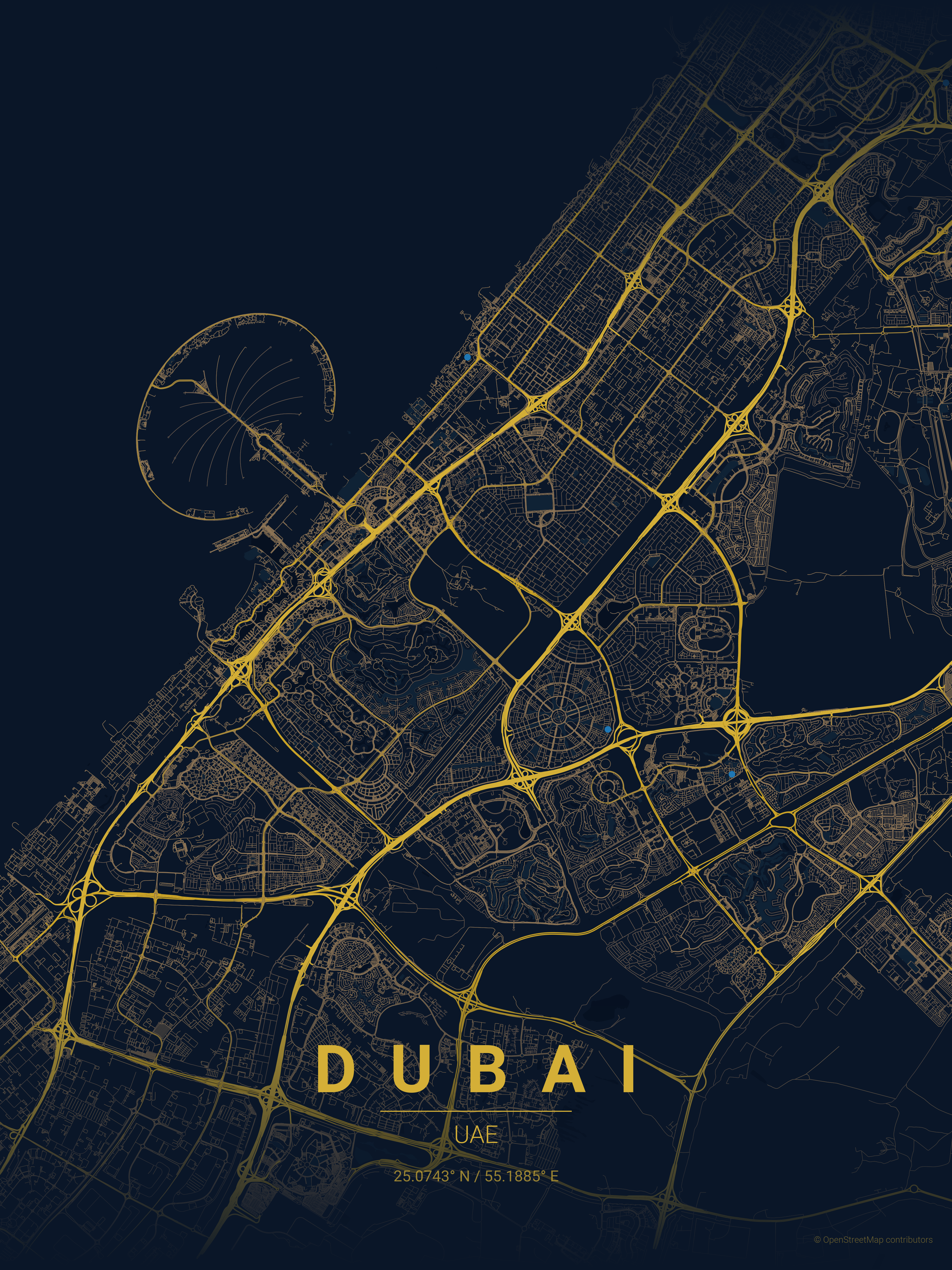
        <img src="https://raw.githubusercontent.com/originalankur/maptoposter/main/posters/dubai_midnight_blue_20260118_140807.png" alt="Dubai map poster with custom coordinates" noZoom className="w-full h-full object-cover" />
      </div>

      <div className="p-6 bg-white dark:bg-[#1a1d27]">
        <h3 className="text-base font-semibold text-gray-900 dark:text-gray-100 mb-2">Advanced Examples</h3>

        <p className="text-sm text-gray-600 dark:text-gray-400 mb-3">
          Custom coordinates, multiple formats, and batch generation techniques
        </p>

        <span className="text-sm font-medium text-[#8c9454] group-hover:text-[#d3fa63] transition-colors">
          View examples →
        </span>
      </div>
    </a>
  </div>
</div>

<div className="mt-20 mb-16 max-w-5xl mx-auto px-6">
  <div className="rounded-2xl bg-gradient-to-r from-[#2e1e3c] to-[#1f1333] dark:from-[#2e1e3c] dark:to-[#1f1333] p-10 sm:p-12 text-center border border-[#d3fa63]/20">
    <h2 className="text-3xl sm:text-4xl font-bold text-white mb-4">Ready to Create?</h2>

    <p className="text-lg text-gray-300 max-w-2xl mx-auto mb-8">
      Install MapToPoster and start generating beautiful map posters in minutes
    </p>

    <div className="flex flex-wrap justify-center gap-4">
      <a href="/installation" className="inline-flex items-center px-8 py-3.5 bg-[#d3fa63] hover:bg-[#c4eb54] text-[#1f1333] font-semibold rounded-lg transition-colors duration-200 no-underline">
        Install Now
      </a>

      <a href="/reference/contributing" className="inline-flex items-center px-8 py-3.5 bg-white/10 hover:bg-white/20 text-white border border-white/30 font-semibold rounded-lg transition-colors duration-200 backdrop-blur-sm no-underline">
        Contribute on GitHub
      </a>
    </div>
  </div>
</div>